How to Download & Pre-Register Aniimo
There's no public Aniimo build to download yet. Here's how to pre-register on the official site and get download-ready for the Q3 2026 launch, with every step pinned to official sources.
Let me save you the scroll: there’s no public launch build to download yet. Aniimo hasn’t had its full public release, so there’s nothing to install yet for launch. (The one exception is the invite-only Global CBT beta, live since 9 July 2026: separate, gated, and covered in the beta-access guide.) The one move worth making today is pre-registering at the official Aniimo site: it locks in your launch-day notification and any pre-registration rewards. Everything else on this page is detail for when you want it.
The target window is Q3 2026 (a window, not a confirmed day) (FunPlus; full breakdown in the release date guide). I have sourced every fact here from official communications only, and where something isn’t confirmed, I say so out loud rather than guessing.
Do this now: open the official pre-registration page. That’s the whole task.
The short version
If you read nothing else, read this.
- Today, you pre-register: there is no public launch build to download. Aniimo hasn’t had its full public release, so there’s no launch download yet. (An invite-only Global CBT beta is live, but it’s separate and gated: see the beta-access guide.) Pre-registering at aniimo.com is the only action that pays off now: it locks in launch-day notification and any pre-registration rewards. Skipping it costs nothing technical, only the reward.
- Release window. FunPlus targets Q3 2026 (FunPlus). Treat it as a window, not a date. The exact launch day isn’t officially confirmed, so I would not book time off around it yet.
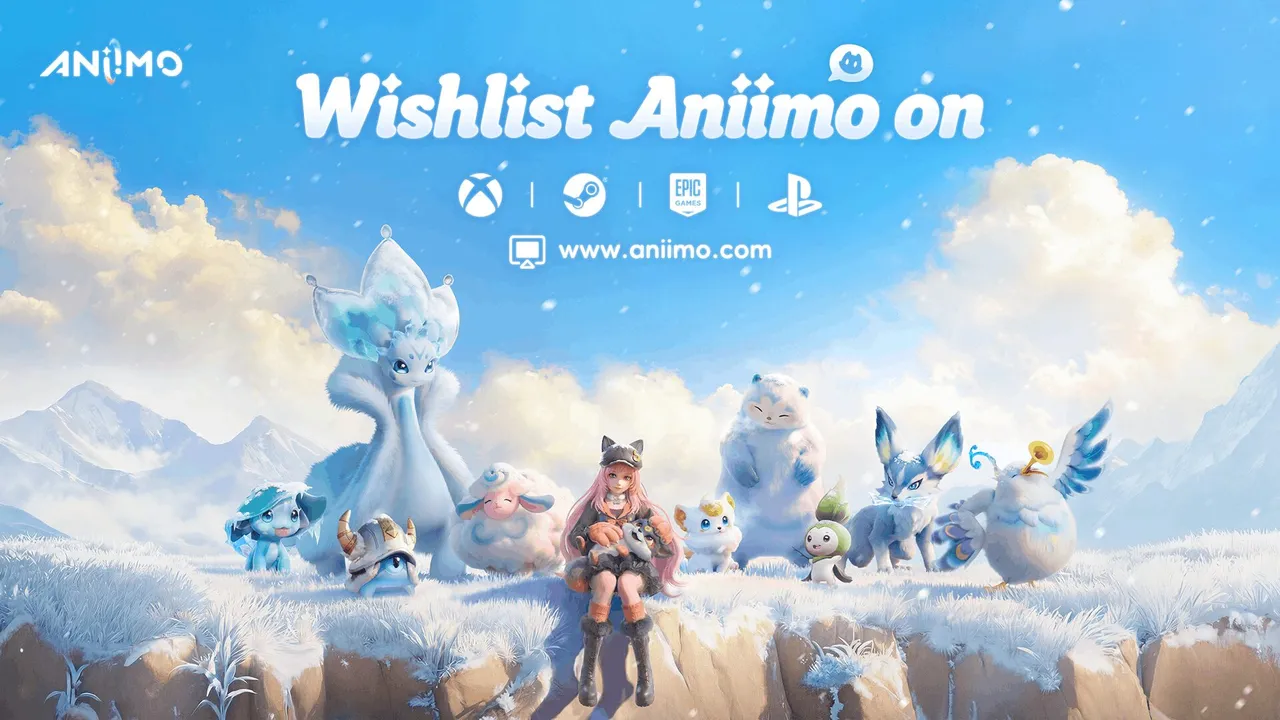
- Platforms. Confirmed for Xbox Series X/S, PlayStation 5, PC (Steam), PC (Epic Games Store), PC (Microsoft Store), iOS and Android (FunPlus). Store-specific download links go live on aniimo.com at launch. There is no earlier “real” download anywhere else.
- Cost. Aniimo is free-to-play (Steam): at launch you won’t need to buy anything to download or start playing. If you’re a budget player, you lose nothing by waiting for the public release instead of chasing test builds.
Step-by-step: get download-ready
Five concrete moves. For each one I’ve spelled out what it actually does, and just as importantly, what it does not.
- Bookmark the official site. Open aniimo.com and bookmark it. This is the only channel FunPlus controls, and every legitimate download link will originate here. Anything else (APK mirrors, “early download” pages, third-party launchers) is not endorsed, so I’d steer clear.
- Submit your pre-registration. Fill the form at aniimo.com. Pre-registration is free and registers your interest only: you are not downloading the game, you do not get an early build, and FunPlus has not stated that it grants priority beta invites. Sign up anyway, because the downside is zero.
- Pick the platform you’ll play on. Aniimo is confirmed for Xbox Series X/S, PlayStation 5, PC (Steam), PC (Epic Games Store), PC (Microsoft Store), iOS and Android (FunPlus). Decide yours now so you know which store page to watch at launch. The store-specific download links surface on aniimo.com on launch day, not before.
- Make sure the launch notification actually reaches you. Add FunPlus’s notification emails to your safe-sender list so the launch alert doesn’t get buried in spam. Following FunPlus on their public channels is a useful backup.
- Wait for the launch announcement. FunPlus targets Q3 2026 (FunPlus). The real download appears on aniimo.com and your platform store on launch day, not before. If you see an “early download” claim before then, it’s fake.

Should you pre-register now, or wait?
My take, with the line between fact and opinion kept clear.
- Pre-register now if you want launch-day notification, you want any pre-registration rewards, or you simply want to be in early on day one. It takes a minute and there’s no downside, which is why I’d just do it.
- Waiting changes nothing if you only care about playing at launch. Pre-registration is not early access, and FunPlus has not stated that it grants beta invites. The only thing you forgo by waiting is the sign-up reward, not playtime.
Confirmed store pages
Here’s where Aniimo is listed or planned. The official site stays the primary pre-registration surface, and store listings follow per region.
- Steam: Aniimo is announced for Steam (Steam).
- Epic Games Store: Aniimo is announced for Epic Games Store.
- Xbox: Aniimo is announced for Xbox.
- PlayStation Store: Aniimo is announced for PlayStation Store.
- Google Play: Aniimo is announced for Google Play.
Common mistakes to avoid
These are the traps I see people fall into ahead of a launch like this.
- Downloading from anywhere but the official site. Only aniimo.com is a confirmed channel. Unofficial “early download”, APK or installer sites for an unreleased game are not endorsed by FunPlus, and I would not trust them.
- Assuming beta or test access equals launch access. FunPlus’s test phases are separate and invite-only. The Global CBT is officially a data-wipe beta, so test progress does not carry over to launch. Don’t treat a test build as “the game”. (Full breakdown in the beta-access guide.)
- Treating the release window as a fixed date. Q3 2026 is a target window, and the exact day is unconfirmed (FunPlus). Countdowns claiming a precise date are not official.
- Assuming it will be on your store of choice. Only Xbox Series X/S, PlayStation 5, PC (Steam), PC (Epic Games Store), PC (Microsoft Store), iOS and Android are confirmed. Availability on other storefronts is not officially confirmed yet, so verify before you assume.
FAQ: quick answers
- Can I download Aniimo right now? There’s no public launch build to download yet. The only live download is the invite-only Global CBT beta (separate and gated: see the beta-access guide). For the full release, you can only pre-register today.
- Is Aniimo free to play? Yes (Steam). There’s no purchase required to download it at launch.
- What platforms is Aniimo on? Confirmed: Xbox Series X/S, PlayStation 5, PC (Steam), PC (Epic Games Store), PC (Microsoft Store), iOS and Android. Other platforms are not officially confirmed.
- When does Aniimo release? FunPlus targets Q3 2026 (FunPlus). The exact day is not confirmed.
- Does pre-registering get me into the beta? FunPlus has not stated that pre-registration grants beta access. Treat them as separate.
- What about the exact launch day within Q3 2026? Not publicly confirmed yet. I update this guide when FunPlus comments.
Do this next
- How to access the Aniimo beta: every confirmed test phase, eligibility, and what to expect.
- Aniimo release date & platforms: the full breakdown of confirmed platforms, betas and unknowns.
- What is Aniimo? New here? Genre, world and core systems in one overview.
- The roadmap: every beta and the road to the Q3 2026 launch, with dated sources.